
Baybayin Keyboard: Type Baybayin Online
Click the keys to type Baybayin characters, kudlit marks and the virama. Copy the result or save it as an image.
Type Baybayin Here
Keys with a gold border are marks. Press a consonant first, then its mark. This keyboard types characters exactly as you press them and does not check spelling.
How to Use This Baybayin Keyboard
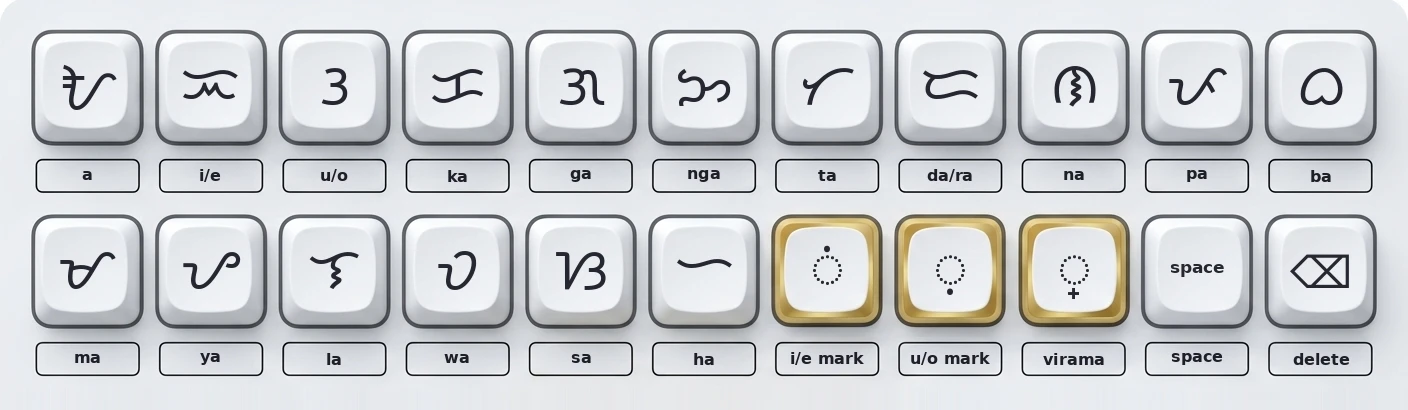
Using Your Baybayin Text on Phones, Computers and Apps
Baybayin typed here is regular Unicode text, so it travels anywhere you can paste text. Choose the setup closest to yours.
Press “Copy text”, then paste into your message, document or post. If the characters turn into boxes, the app needs a Baybayin font. See the troubleshooting table below.
Open this page in your phone browser, type, copy, and paste into your chat or notes app. Most modern phones show Baybayin correctly, but some apps replace the font, which can change how it looks.
Type here, copy, and paste into a document or browser field. For documents you plan to print or share, choose a font that supports the Tagalog block, such as Noto Sans Tagalog.
In design apps, paste the text and set the font to one that supports Baybayin. If the font is missing, download the image version from this page instead, so the result looks the same everywhere.
How to Type Syllables, Marks and Final Consonants
Baybayin is written in syllables, so typing it works like building blocks. Press the consonant, then add a mark when the vowel is not “a”.
- ba: press the ba key.
- bi or be: press ba, then the i / e kudlit key.
- bu or bo: press ba, then the u / o kudlit key.
- b alone: press ba, then the virama key.
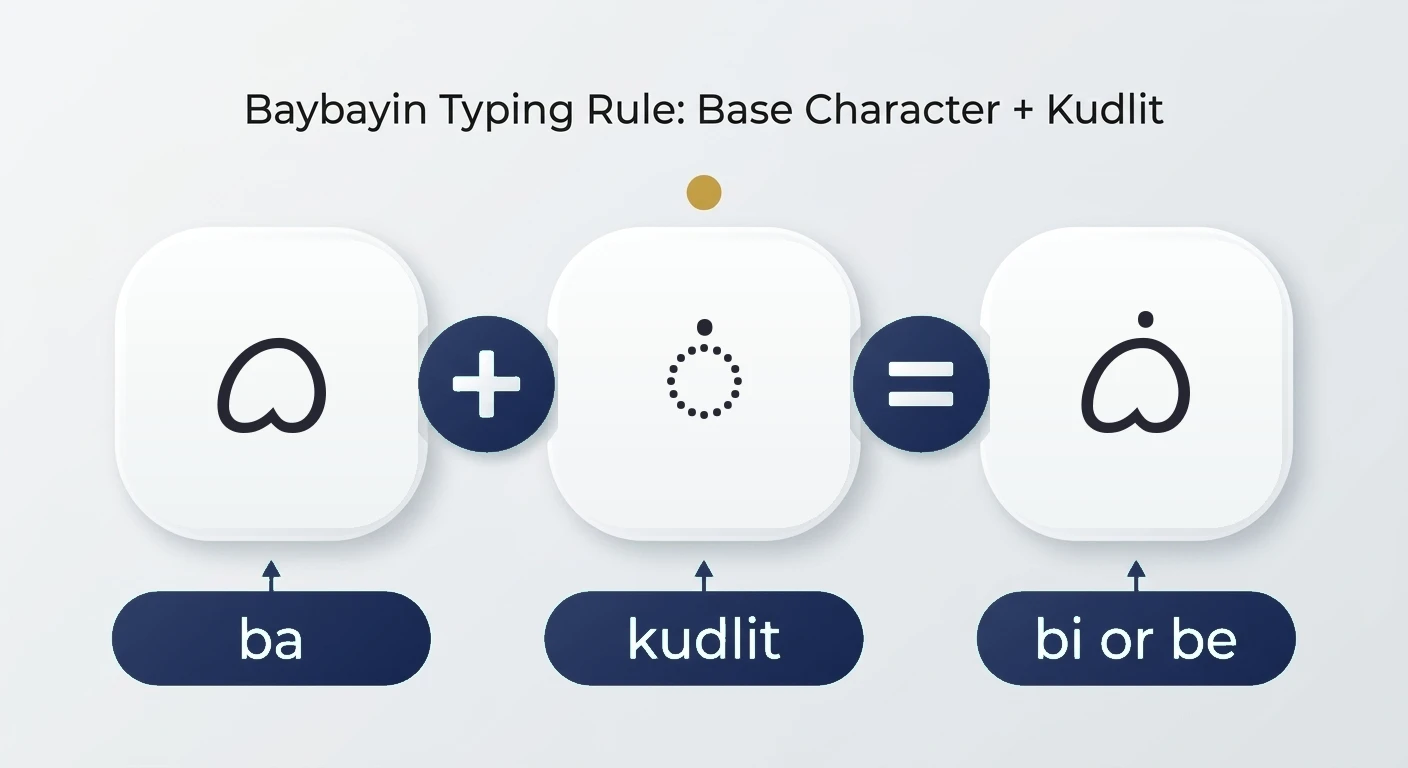
Examples to try
| Word | Baybayin | Keys to press |
|---|---|---|
| mahal | ᜋᜑᜎ᜔ | ma, ha, la, then the virama key |
| salamat | ᜐᜎᜋᜆ᜔ | sa, la, ma, ta, then the virama key |
| puso | ᜉᜓᜐᜓ | pa, u/o kudlit, sa, u/o kudlit |
| ngayon | ᜅᜌᜓᜈ᜔ | nga, ya, u/o kudlit, na, then the virama key |
For the full list of characters and what each mark does, see the Baybayin alphabet guide.
Keyboard or Translator: Which Should You Use?
Use this keyboard when
You already know the characters you want, you are copying a specific spelling, or you are practicing the script one key at a time.
Use a translator when
You want to type an English or Tagalog word and get the Baybayin automatically. The Baybayin Translator does that conversion for you.
Both give you standard Baybayin text. The keyboard gives you full control, while a translator saves time but makes spelling choices for you.
Why Baybayin Looks Wrong and How to Fix It
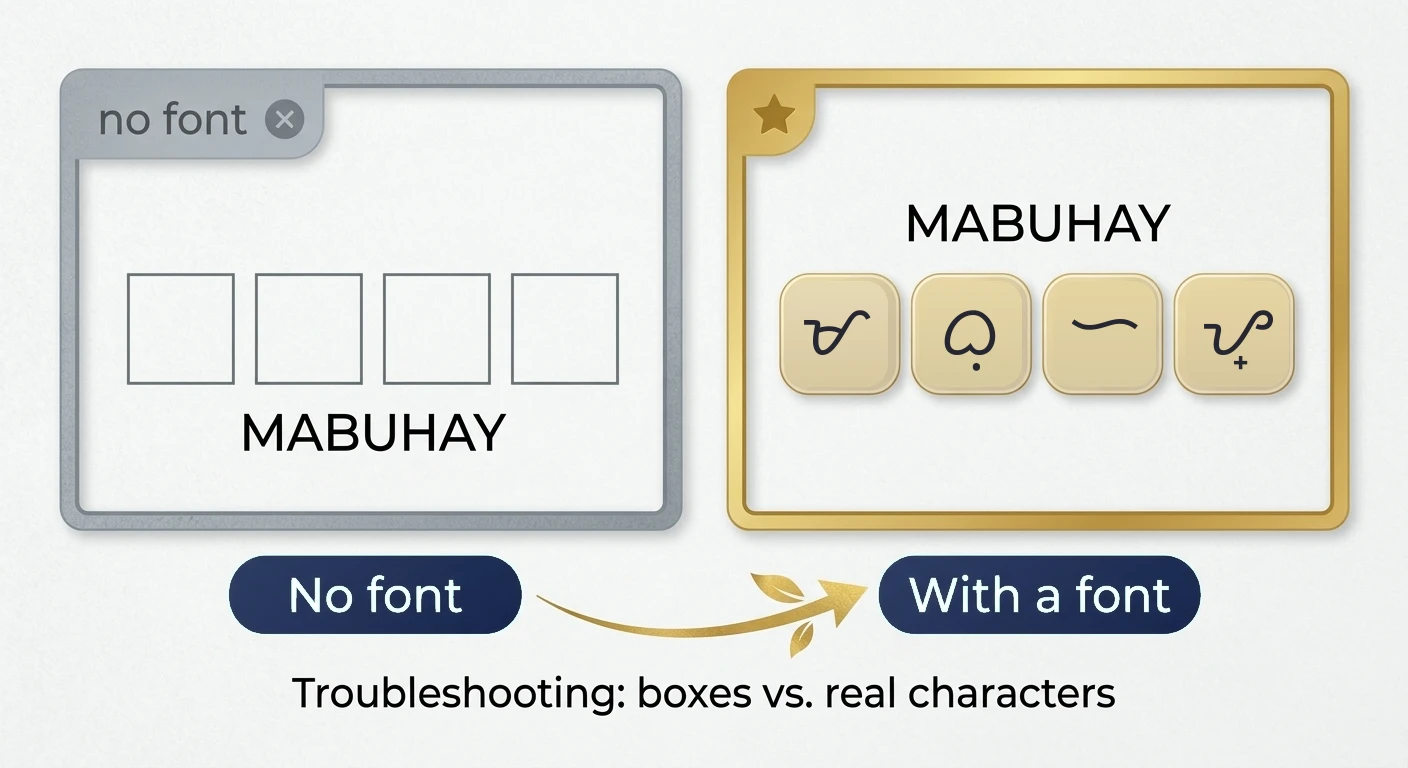
| What you see | Likely cause | What to do |
|---|---|---|
| Boxes or question marks | No font for the Tagalog Unicode block | Select or install a font such as Noto Sans Tagalog. |
| A mark beside the letter instead of above or below | The font does not place marks well | Try another font and keep the mark right after its consonant. |
| Text changes after pasting | The app swaps fonts or strips formatting | Paste as plain text, then apply a supported font, or use the image download. |
| Final consonant missing | Traditional style leaves it out | Add the virama key after the consonant. |
To check what you typed, paste it into the Baybayin to Tagalog reader, which shows the reading syllable by syllable.